Skip to Content
Apps by JS

Revit API development

Custom Revit Add-ins

We build Revit add-ins that last. Dozens deployed across teams, with long-term reliability proven over 15+ years in production.

From standards checks that run on every consultant’s model to one-click detailing tools, each add-in is built around a real workflow — the repetitive, error-prone work your team shouldn’t be doing by hand.

Talk about your workflow

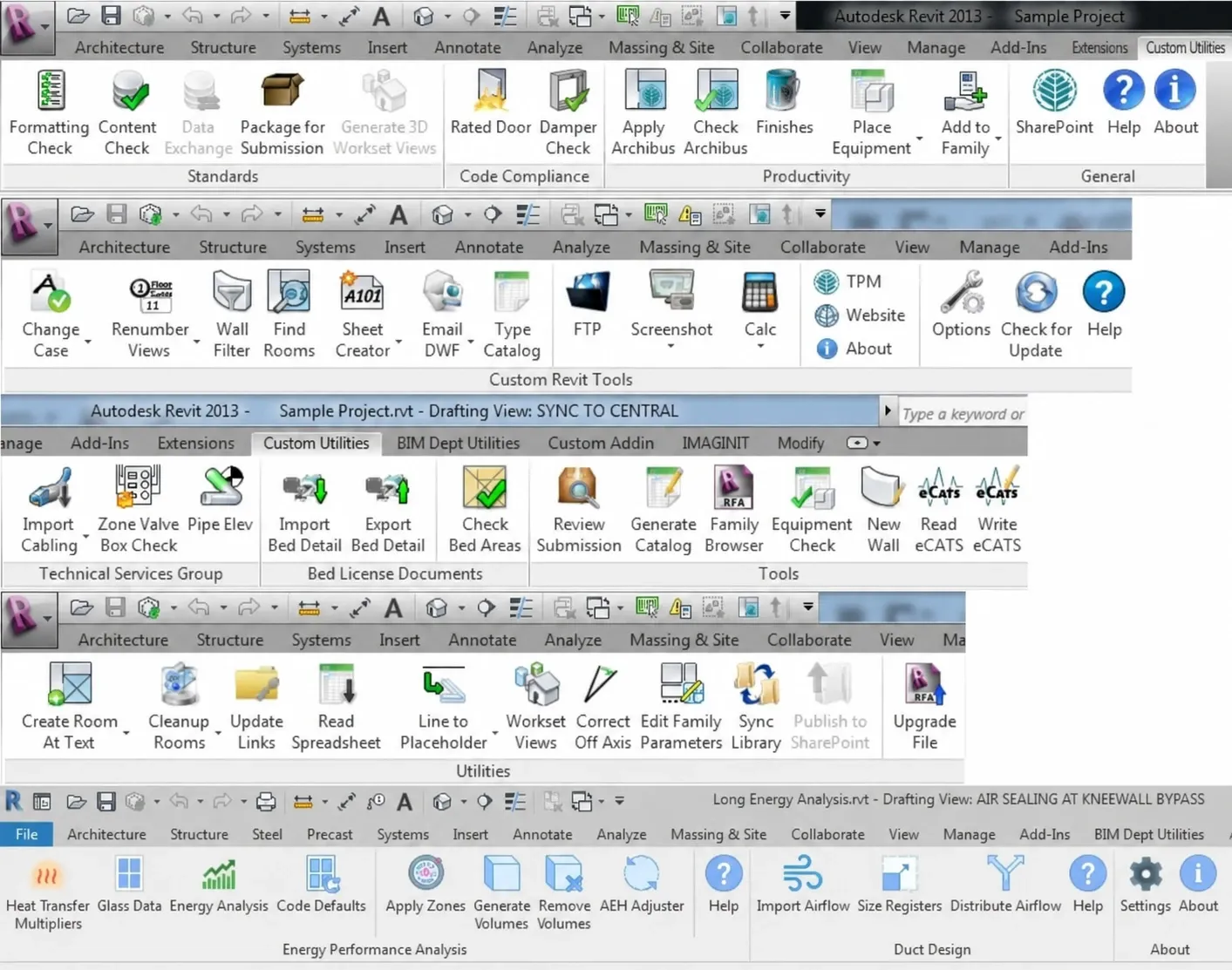
Custom Revit ribbon tabs with toolbars of add-in commands for architecture, structure, systems, annotation, and analysis.

Selected Work

Building owners · design consultants

Standards & Submission Toolkit

Building owners need every outside architect and engineer to deliver models that meet their BIM standards and feed their facilities systems. This add-in goes to each consultant, so problems are caught before a package is submitted — not after it’s rejected.

  • Standards checks

    Around twenty discipline checks — rooms, doors, walls, electrical, fire alarm, mechanical, plumbing, finishes — plus naming, classification, and parameter checks scored by percentage, all exportable to Excel.

  • Life-safety checks

    Finds fire dampers inside rated walls using geometric clash detection, and lists every door in a rated wall in an editable table, so ratings can be verified and fixed in one place.

  • Package for submission

    Builds the required folder structure, detaches and saves a clean copy of the model, and renames sheet PDFs from sheet data — the same structure every time.

  • Asset data export

    Exports equipment and demolished equipment to template-based spreadsheets for the owner’s asset-management system, and imports spreadsheet data back into the model.

  • Productivity tools

    Places equipment from planning spreadsheets, applies standard finishes and room types in bulk, edits classification numbers, batch-renames families, and generates a 3D view per workset.

Structural engineering

Structural Detailing Utilities

Focused, one-click tools on a firm-branded ribbon, built around tasks that are slow and error-prone to model by hand.

  • Floor bent plates

    Sizes and places the steel bent plates along every overhanging slab edge, working out each plate’s legs from the slab thickness and overhang, and creating consistently named plate types as it goes.

  • Reference plane views

    Pick a reference plane and get a cropped 3D view of every wall and column locked to it — so you can see what will move before you move it.

Residential HVAC & energy design

Energy Analysis

Turns a Revit model of a home into room-by-room heating and cooling loads, customer-ready reports, and the airflow data that drives duct design.

See how it works →

Our Own Tools

Alongside client work, we publish our own suite: Revit Apps by JS.

  • Backup File Organizer

    Moves Revit’s backup files into their own folder after every save, keeping only as many as you choose.

  • Model Search In development

    Find elements by describing them in plain English — then select, zoom to, or isolate the results.

How We Build

Common Questions

Which Revit versions do your add-ins support?
Our toolsets have been maintained across many Revit releases and now run on Revit 2025 and .NET 8.
Do the add-ins work with workshared and cloud models?
Yes. They work with workshared and cloud models, run long jobs in the background, and ship with a proper installer.
Can our BIM standards change without new code?
Yes. Checks are driven by shared-parameter files and lookup lists, so you can update your standards without a new release of the add-in.
Can an add-in exchange data with Excel?
Yes. We build template-based exports and imports that keep spreadsheets and models in sync, in both directions.
Do you publish your own Revit add-ins?
Yes. Backup File Organizer is free on the Autodesk App Store, and Model Search, which finds elements from a plain-English description, is in development.
How does a custom add-in project start?
Tell us what’s slowing your team down, in plain language. We’ll come back with a clear, buildable scope, then deliver an add-in built to last in production.

What does your team still do by hand?

Tell us about the repetitive part of your Revit workflow, and we’ll help define a practical add-in that takes it off your plate.

Contact us